Saturday, March 9, 2019

Evernote

Evernote is an app and website that is meant to keep you organized and is a great place to keep all of your notes. Not only that, but going digital with your notes will help save paper and get rid of clutter. With Evernote you can capture ideas and inspiration in your notes and even add pictures to them. Using this app and website, you can manage your projects and it will help you keep track of tasks that have to be done as well as important deadlines. You can even share your notebook with others and edit it at the same time together. They also supply you with multiple different features such as document scanning, PDF and document search, and even multi-device sync.

Evernote is super helpful whether it’s for work, school, or even in the comfort of your own home. I believe that Evernote is something that could come in handy for a teacher in the classroom to maintain organization. This also works for students as well. Having a website or app where students can get creative, work together, and share work can increase their productivity and get them motivated to do their work and learn.

Image result for evernote

Friday, March 8, 2019

Catapult for Kids!


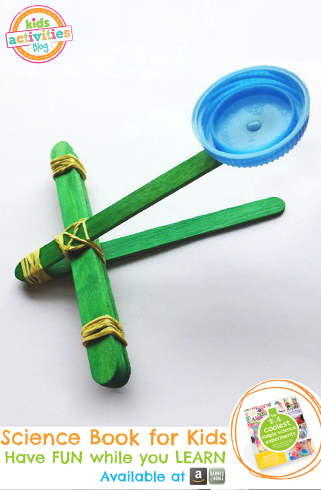
Involved in this STEM activity students are to create a catapult. This is a very fun and interactive activity, students can learn about science while catapulting objects in the air! In order to make a catapult you have to follow these simple and fun steps:
Step 1: Stack 5 craft sticks together, and rubber band the ends.
Step 2: Stack 2 craft sticks together, and warp a rubber band around the very end.
Step 3: Separate the 2 craft sticks. Place the stack of 5 craft sticks between the 2 sticks. 
Step 4: Wrap a rubber band around all of the craft sticks to hold the catapult together.
Step 5: Glue a milk cap (or something similar) on to serve as a launching platform.
Step 6: Push down on the top craft stick and release to launch an object from the cap. 

After students have created their catapults they can create an experiment using their catapult. They can either: 
  • Launch an object from the catapult multiple times and measure how far it travels each time. 
  • Launch different objects from the catapult and measure how far each object travels.
  • Compare catapults. Build more than one catapult (the same or different design). Launch the same object from each catapult and measure how far it travels. 


Supplies needed:
  • 7 craft sticks
  • 3 rubber bands
  • A milk cap
  • Cotton Balls (or other objects to launch)
This is a very fun and different STEM activity! Students can learn, have fun, and be very creative!


Chemical Reaction Rockets

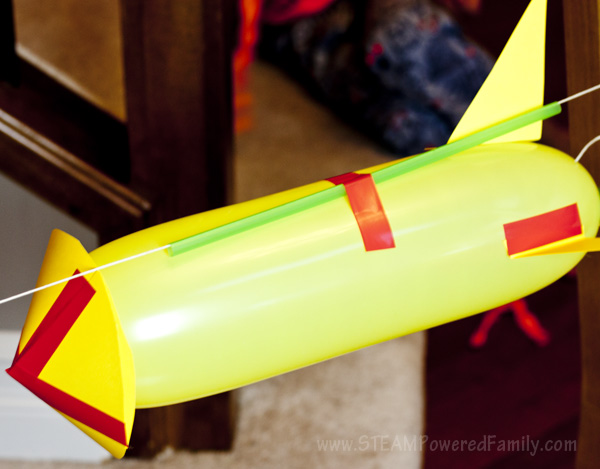
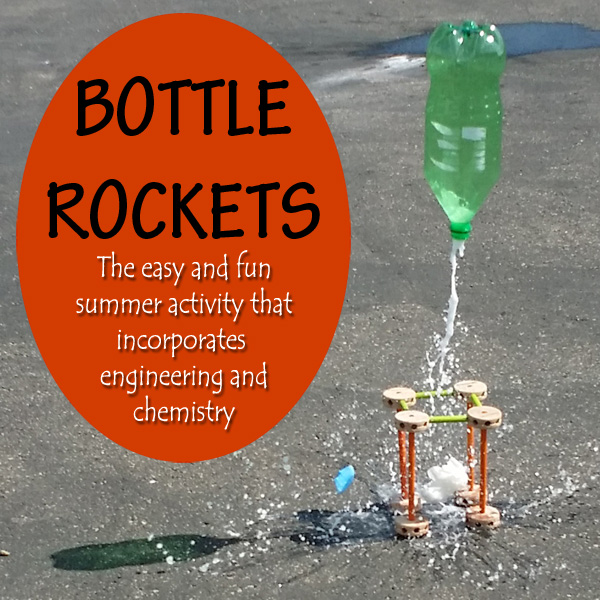
After viewing the basics from the Carolina STEM Challenge: Chemical Bottle Rocket - Kits are available to purchase but are also easy enough to build your own or adapt the challenge for your classroom.  For younger students (2nd-4th grade I would not use chemical reactions.  This would simply be a balloon rocket race.  They can design the rocket they want and race them across the room on strings.  For the older students the designs from the kits area a great idea but can be altered to a different scale.  The 5 or 6th graders can use the plastic test tubes for the fuselage or they can use different sized plastic bottles.  Using the bottles would make them be more creative in their rocket design as they would have to find ways to work around the curvatures of the bottle.
Baking Soda Rocket STEM

  Image result for Balloon rocket race
With this idea I would adapt by using toilet paper cardboard or other carboard tubes with the elonggated balloon inside.
Image result for chemical reaction rocket

This could be adapted with the different types of propulsion, vinegar and chalk or baking soda, soda and mentos or alkaseltzer.

Thursday, March 7, 2019

Tik Tok is an app that can be found in app stores for iOS and Android devices. Tik Tok entails short videos that can be created and viewed by individuals. The result from this app is that people get to share their incredible talents, knowledge, and entertainment with others in a fun manner. There is also privacy settings for parents where they can control time limits on the app, and messages that can be sent and receive. This app is rated 12+ but I find that younger children are able to find the enjoyment in the app. This can be an educational tool by creating challenges to illustrate a concept  or lesson and would be easily digestible material for studentsImage result for tik tok

The Marble Challenge

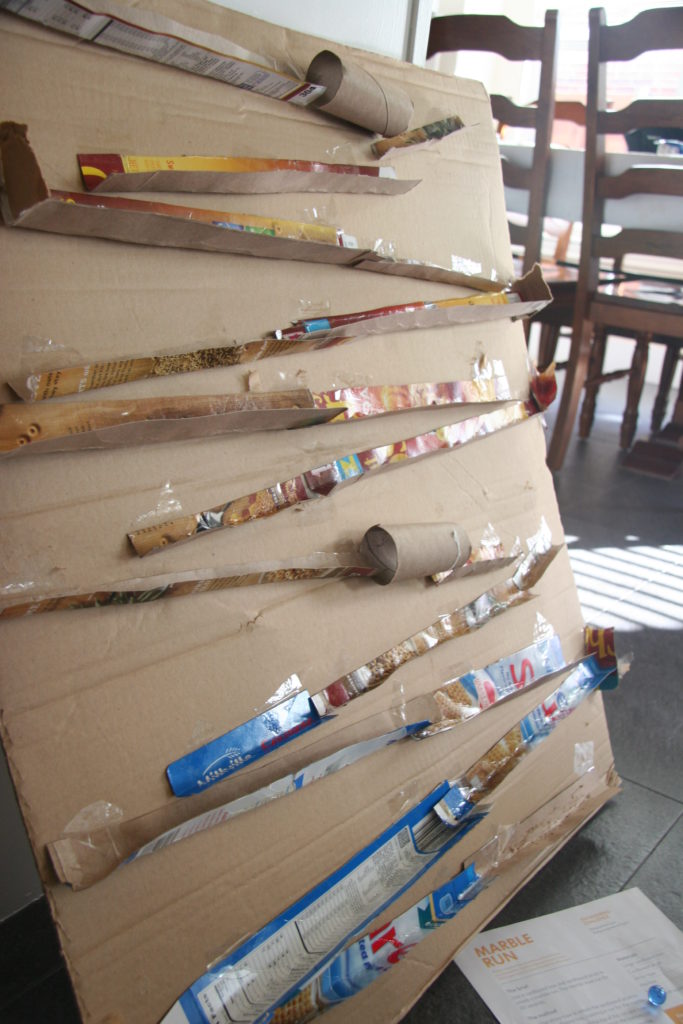
I found this challenge very interesting.  The challenge is designed to get the students to think of different ways to use varying materials as a ramp or guide to allow a marble to reach from the top to the bottom of the run within a set amount of time.  As the students learn about friction they can apply their knowledge to the track.  They can play around with different textured runs and change the angles of the chutes to slow or speed up the decent of the marble.

For the younger students you can also make a marble maze on a paper plate, the older the students the more intricate they can make the maze, the run, or even the roller coaster.

This reminds me of the game "Mouse Trap."  After they have designed their marble run you can then get them to think of how to build a better mouse trap.

Marble Challenge

Image result for marble challenge stem

Wednesday, March 6, 2019

Science Journal

https://sciencejournal.withgoogle.com/  

Science Journal with a FREE application available for Android, iOS,

and most Chromebooks. The application is an ideal tool for schools
with little to no budget for expensive sensors. The app allows students
to document science experiments and also come with free activities.
The website provides a user's guide (with videos) and lots of experiments
to try out. Science Journal lets you record light, sound, and motion data.
Users can take pictures, import pictures, and write notes about their experiment.


Saturday, March 2, 2019

Blend Space

Tes Teach Blend Space is an online tool that can be used to create online classrooms. This online tool is useful in integrating technology into the classroom and allowing better communication and collaboration between students and teachers. This online classroom creates a huge benefit of no more students losing their papers, forgetting assignments that were due, and losing opportunities because of absences. Not only does Blend Space benefit the students in many ways but it greatly benefits teachers, especially in creating lesson plans for the online classroom. Blend Space allows the opportunity for teachers to share with other users their already made up lessons plans that went well in the classroom, that these other teachers can take and use as their own. Blend Space is full of many resources to benefit both teachers and students.